

Using Gato AI Translations for Polylang
This section contains all the videos demonstrating how to use the AI Translations for Polylang plugin.
The quick way to translate
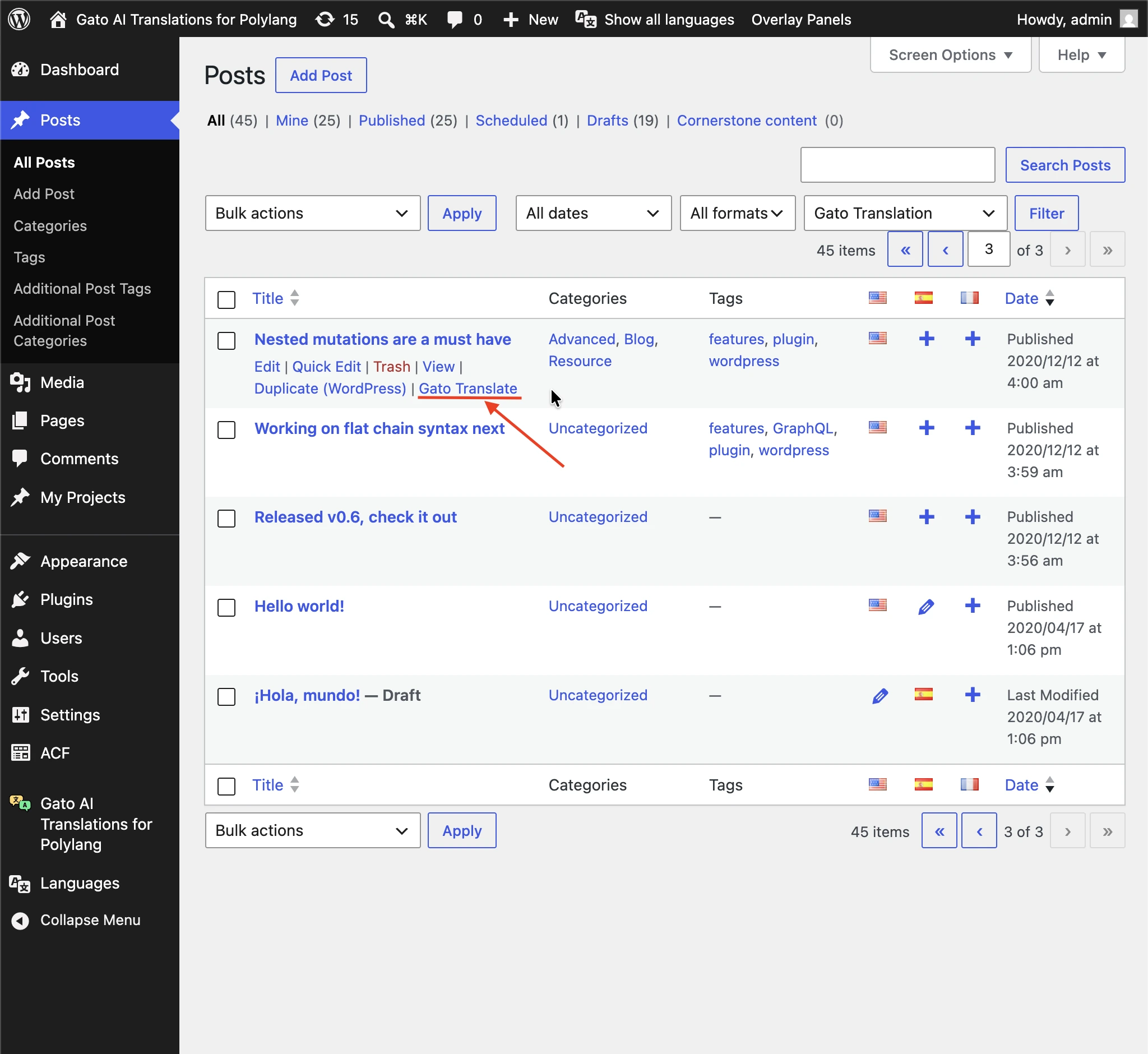
Every custom post type, media item, tag, category and user list page exposes a Gato Translate quick link, next to the standard row actions. Clicking it triggers a translation for that single entity to all configured languages — without having to open the Bulk Actions dropdown.
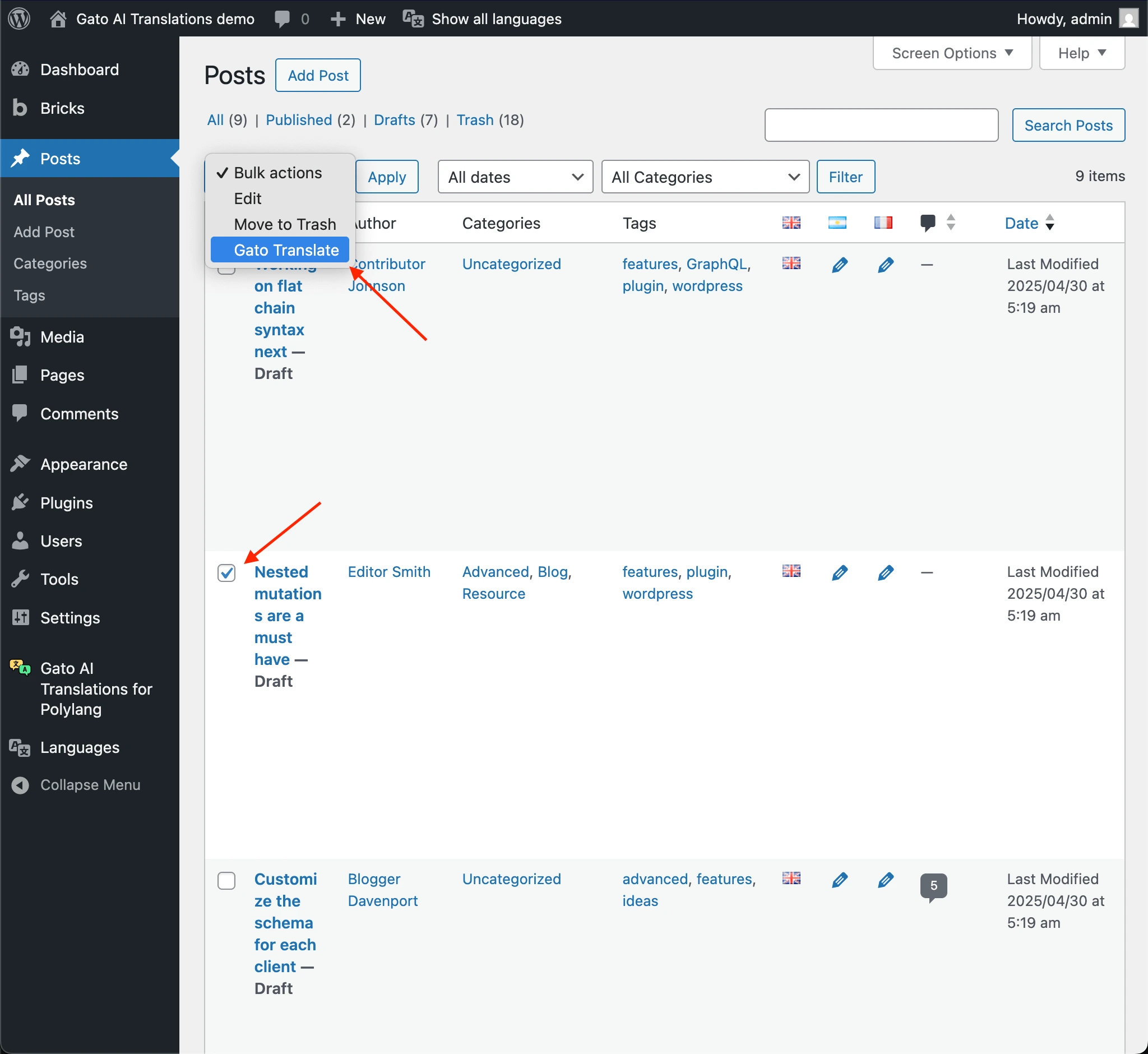
For translating several entities at once, you can still use Bulk Actions → Gato Translate.
Translating content automatically
This video shows how content is translated automatically, when:
- Publishing a post
- Adding a new tag to the post
- Adding a new category
- Adding a featured image to the post
Translating content in bulk
This video demonstrate translating content via Bulk Actions.
Translating your own Custom Post Types
This video demonstrates how to translate our application's CPTs.
Translating 3rd-party Custom Post Types
This video demonstrates how to translate an entry from WooCommerce's Product CPT.
Switching translation API by language
This video shows how to select different translation API providers for different languages.
Customizing translations via AI
This video demonstrates how to customize the translation when using ChatGPT.
Translating content for the Classic and Block Editors
This video shows that, whether the post is based on the Classic Editor or the Block Editor, the translation is executed successfully.