IntegrationsAdvanced Custom Fields (ACF)
Advanced Custom Fields (ACF)
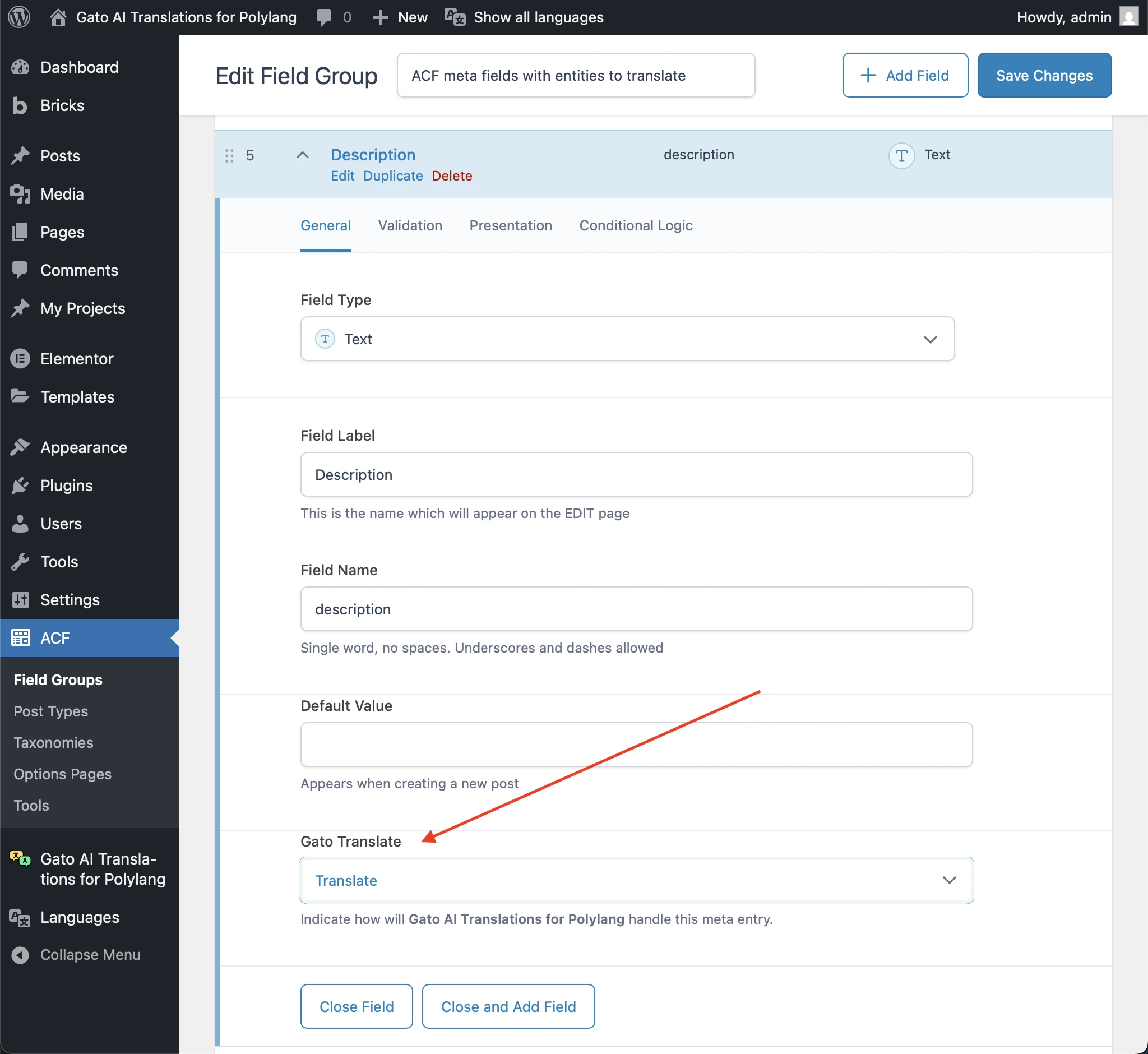
Gato AI Translations for Polylang integrates with Advanced Custom Fields (ACF), so you can translate your ACF custom fields out of the box.
The plugin adds a Gato Translate input to the ACF Field Groups, allowing you to configure what fields to sync or translate:
ACF blocks
The plugin also supports ACF blocks (registered via acf_register_block_type()).
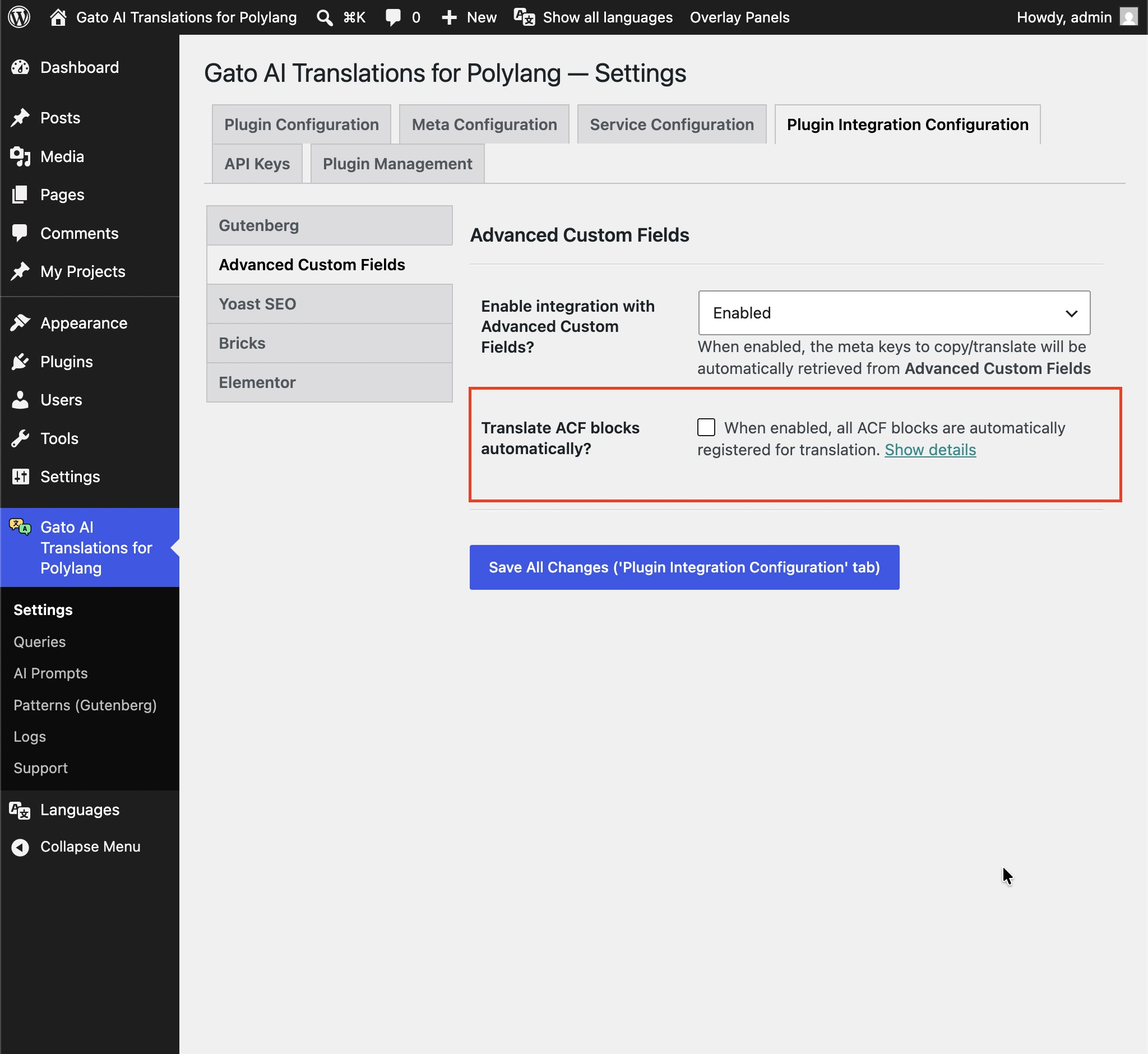
See Advanced Custom Fields (ACF) blocks in the Gutenberg docs for more information.
Disabling integration
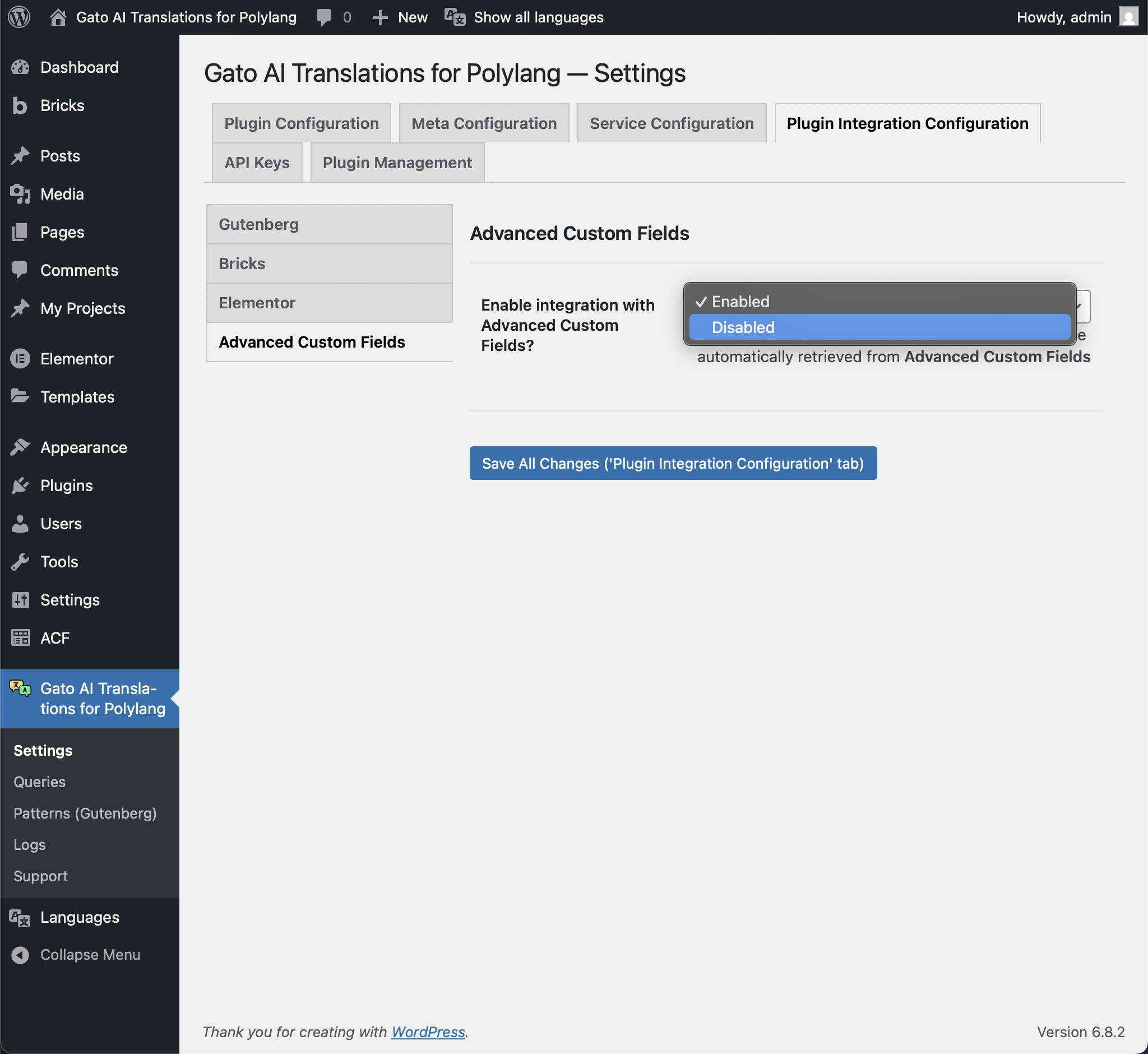
If you have ACF installed but you don't want to translate its fields, you can disable the integration.
For that, go to the Settings, under Plugin Integration Configuration > Advanced Custom Fields, and set the Enable integration with Advanced Custom Fields? option to Disabled.