

Avoiding timeouts in the PHP server
The request sent to the AI service's API includes as many strings to translate as possible. The longer the request, the more time will the API take to process it.
A slow response may produce a timeout on your PHP server (eg: if the max time for executing a PHP script is 30 seconds).
To avoid a timeout, you can:
- Set a Translation Timeout below the PHP
max_execution_time(recommended) - Increase the max execution time on the PHP configuration
- Reduce the payload size sent to the API in the plugin settings
When reducing the payload size, the request will be split into multiple requests, each of which will be resolved faster.
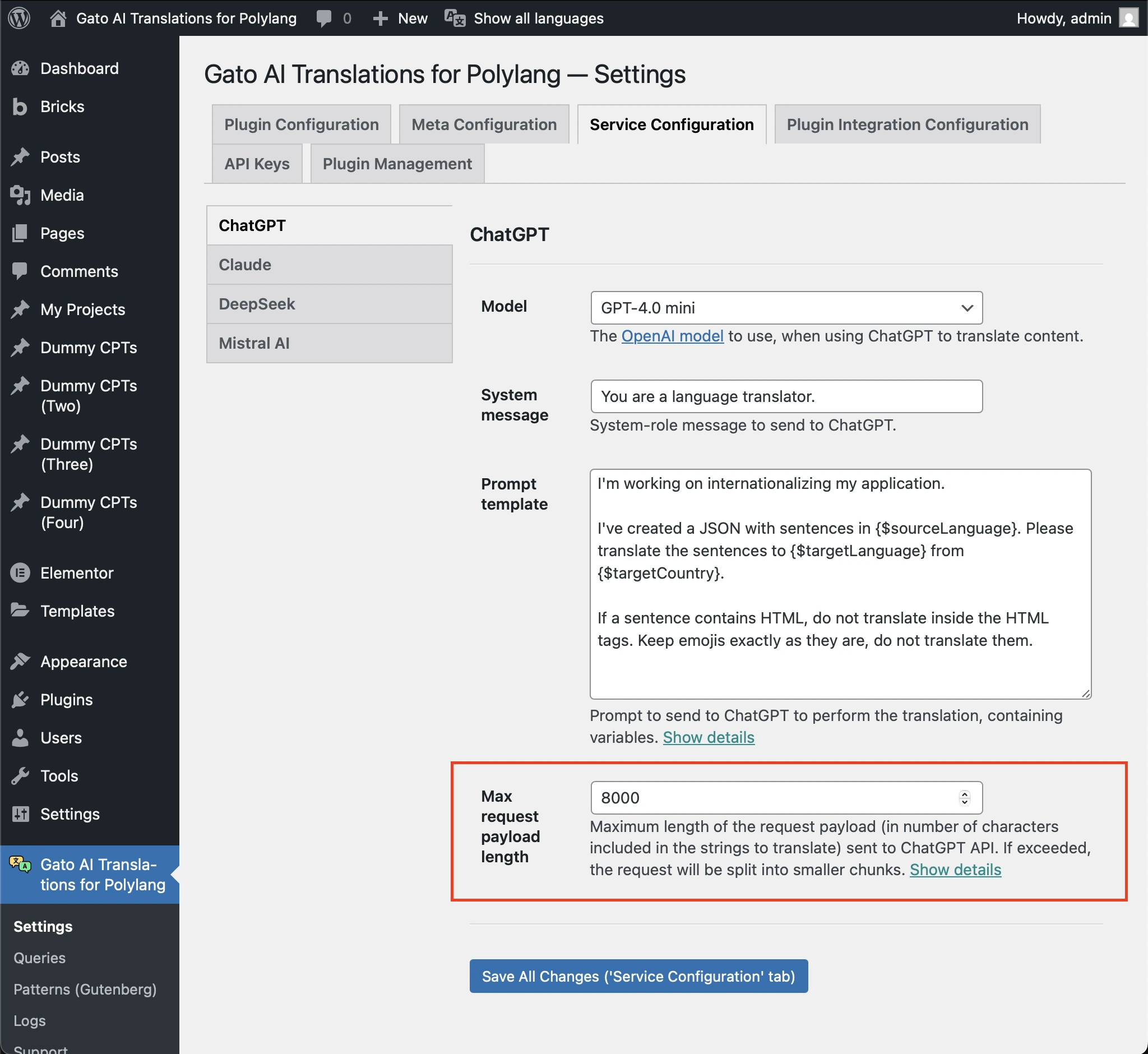
Go to Settings > Service Configuration > [AI service], and decrease the Max request payload length option to an adequate number of characters that will avoid a timeout error.
For instance, if it set to 4000 and it fails, then try to set it to 2000.
Setting the Translation Timeout
Your web server enforces a maximum runtime for every PHP request through the max_execution_time directive (set in php.ini, or via your hosting control panel).
The plugin exposes a Translation Timeout option in the Settings, under Plugin Configuration > Translation Timeout. Keep it below your server's max_execution_time so a stalled translation fails cleanly with a controlled error in the logs, instead of triggering the generic server timeout (HTTP 502 / 504, or a blank "Maximum execution time of N seconds exceeded" page).
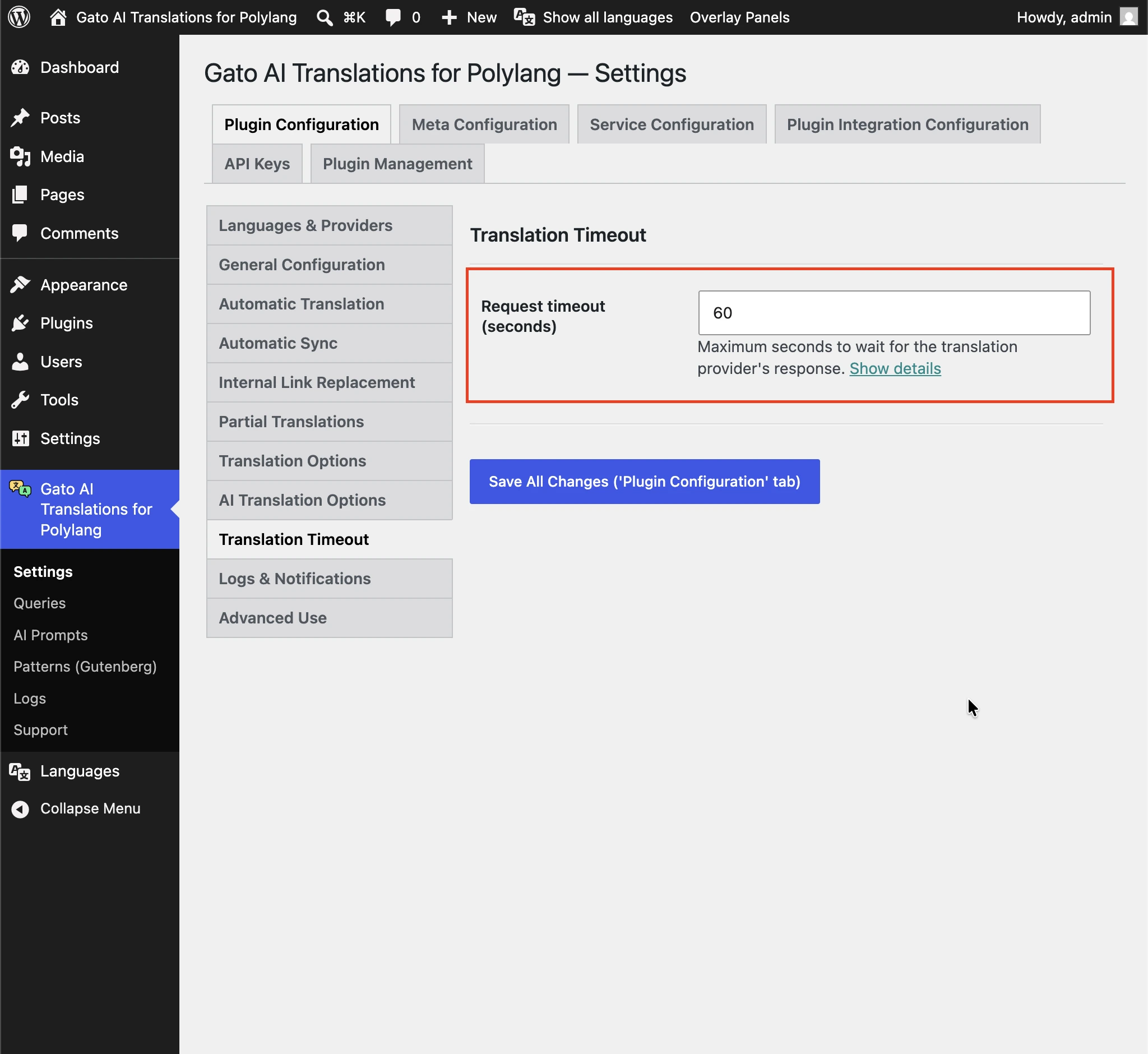
If your translations regularly time out, raise both this value and your server's max_execution_time in tandem.