

🚀 Translate (almost) every Gutenberg block, Bricks element and Elementor widget — plus Gemini, WP AI Connectors and AI Abilities for translation

Gato AI Translations for Polylang v18.0 is here — and it is one of our biggest releases ever, with a long list of features that many of you specifically asked for.
The headline: you can now translate pretty much any block, element or widget, from any plugin, with very little configuration. Let's dig in.
🗂️ ACF blocks
Blocks registered via Advanced Custom Fields are now supported out of the box. There are three ways to register an ACF field for translation:
- Globally, via a single Settings toggle (Translate ACF blocks automatically?) — every translatable string on every ACF block is sent for translation.
- Per field group, via the new Gato Translate input that v18 adds to the ACF Field Groups UI.
- Per field in PHP, via the standard ACF
acf/load_fieldhook.
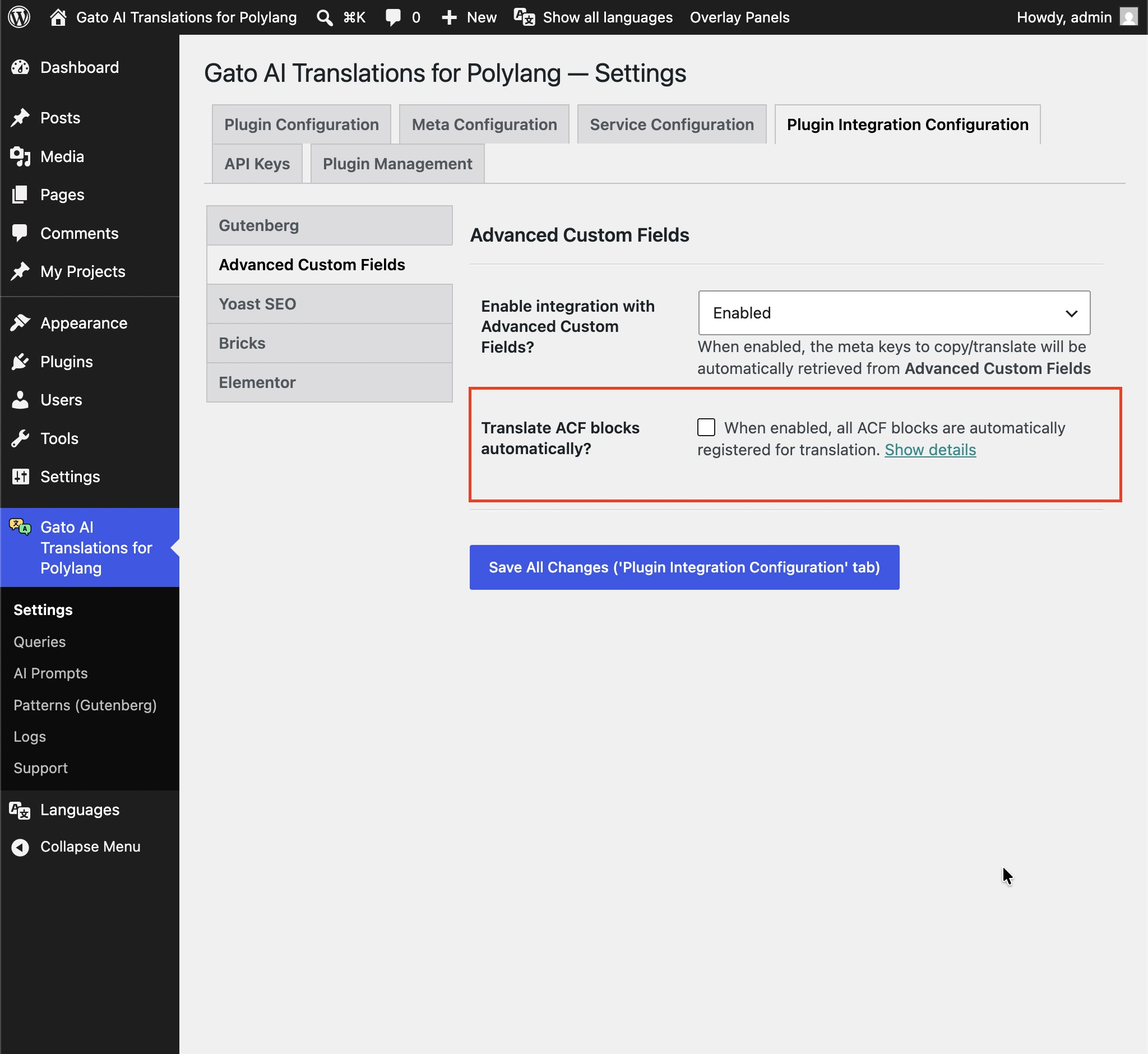
Full details in ACF blocks.
🐘 PHP-only blocks
From WordPress 7.0, blocks can be registered as PHP-only (no JavaScript bundle). v18 treats them like any other block: all their string attributes are registered for translation automatically, with no extra setup. If a specific attribute should be skipped, you can opt it out via a one-line PHP hook.
🧱 Any plugin that ships a wpml-config.xml
v18 reads any plugin's wpml-config.xml and uses it to determine which block attributes are translatable. If your favorite block plugin already documents itself for WPML, it now works out of the box with Gato AI Translations for Polylang too.
🧩 Kadence and Greenshift Blocks support
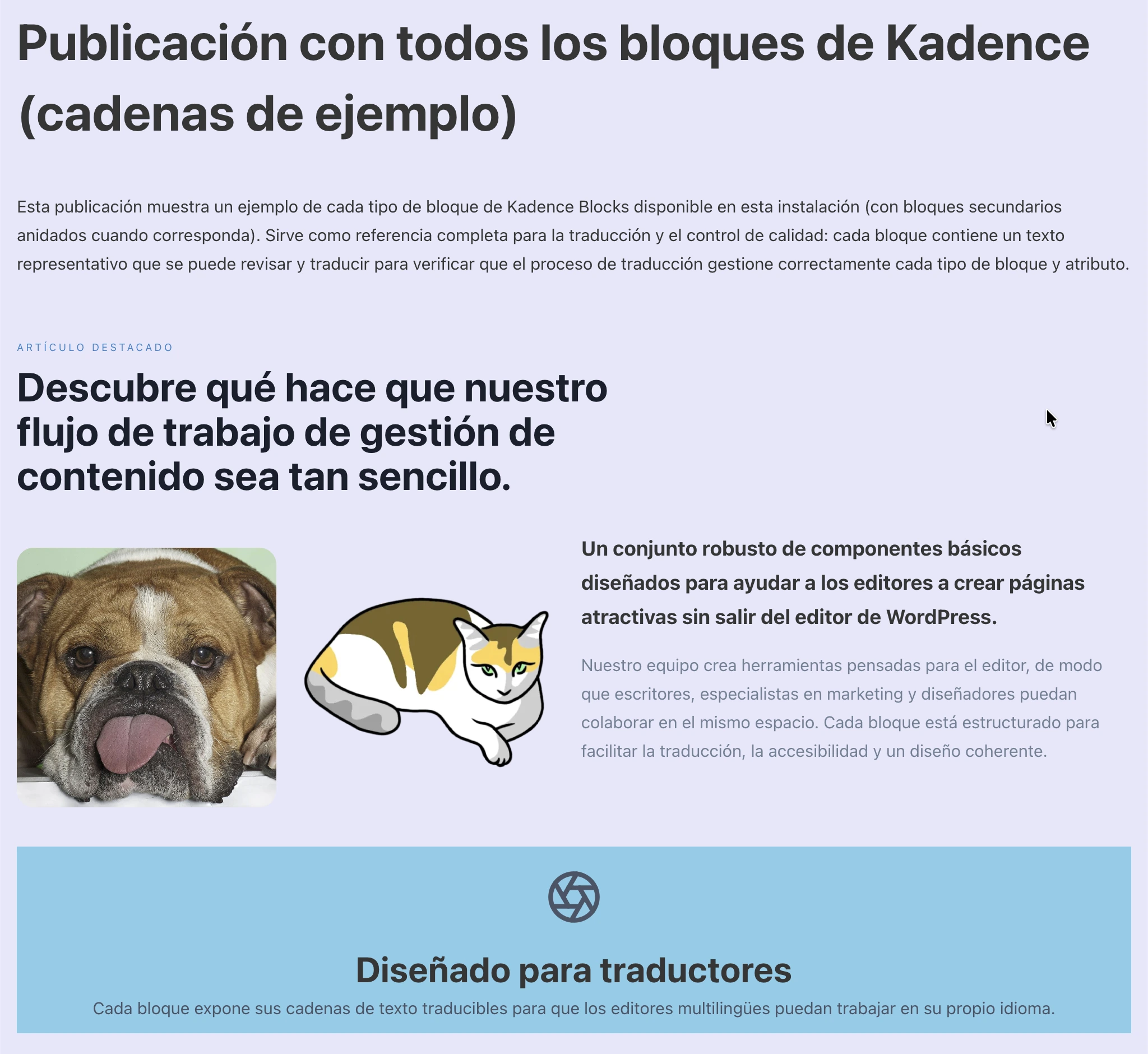
All Kadence Blocks and all Greenshift blocks are now translated automatically. No custom hooks, no extra configuration.
🔌 Custom & 3rd-party blocks, elements & widgets — now extremely easy via PHP hooks
Extending support for your own custom blocks, elements and widgets — and for any 3rd-party plugin that doesn't ship a wpml-config.xml — is now a simple matter of declaring a few translatable properties through PHP hooks.
For Gutenberg, declare translatable attributes via gatompl:gutenberg_block_type_translatable_attribute_regexes:
add_filter(
'gatompl:gutenberg_block_type_translatable_attribute_regexes',
static function (array $regexes): array {
$regexes['kadence/countdown'] = [
'daysLabel' => true,
'hoursLabel' => true,
'minutesLabel' => true,
'secondsLabel' => true,
];
return $regexes;
}
);For Bricks, use gatompl:bricks_element_type_translatable_properties:
add_filter(
'gatompl:bricks_element_type_translatable_properties',
static function (array $translatableProperties): array {
$translatableProperties['breadcrumbs'][] = 'separatorText';
$translatableProperties['team-members']['items'][] = 'title';
return $translatableProperties;
}
);For Elementor, use gatompl:elementor_widget_type_translatable_properties:
add_filter(
'gatompl:elementor_widget_type_translatable_properties',
static function (array $translatableProperties): array {
$translatableProperties['blockquote'][] = 'author_name';
$translatableProperties['reviews']['slides'][] = 'name';
return $translatableProperties;
}
);Equivalent hooks exist to remap entity references (custom posts, media, taxonomy terms, menus by ID, menus by slug). Full details in the updated docs:
- Translating additional Gutenberg blocks
- Translating additional Bricks elements
- Translating additional Elementor widgets
⚡ Faster, leaner
The plugin internals have been overhauled in v18: translations run noticeably faster, and use considerably less memory. Translating content will now feel much smoother.
🐈 Gato Translate quick link
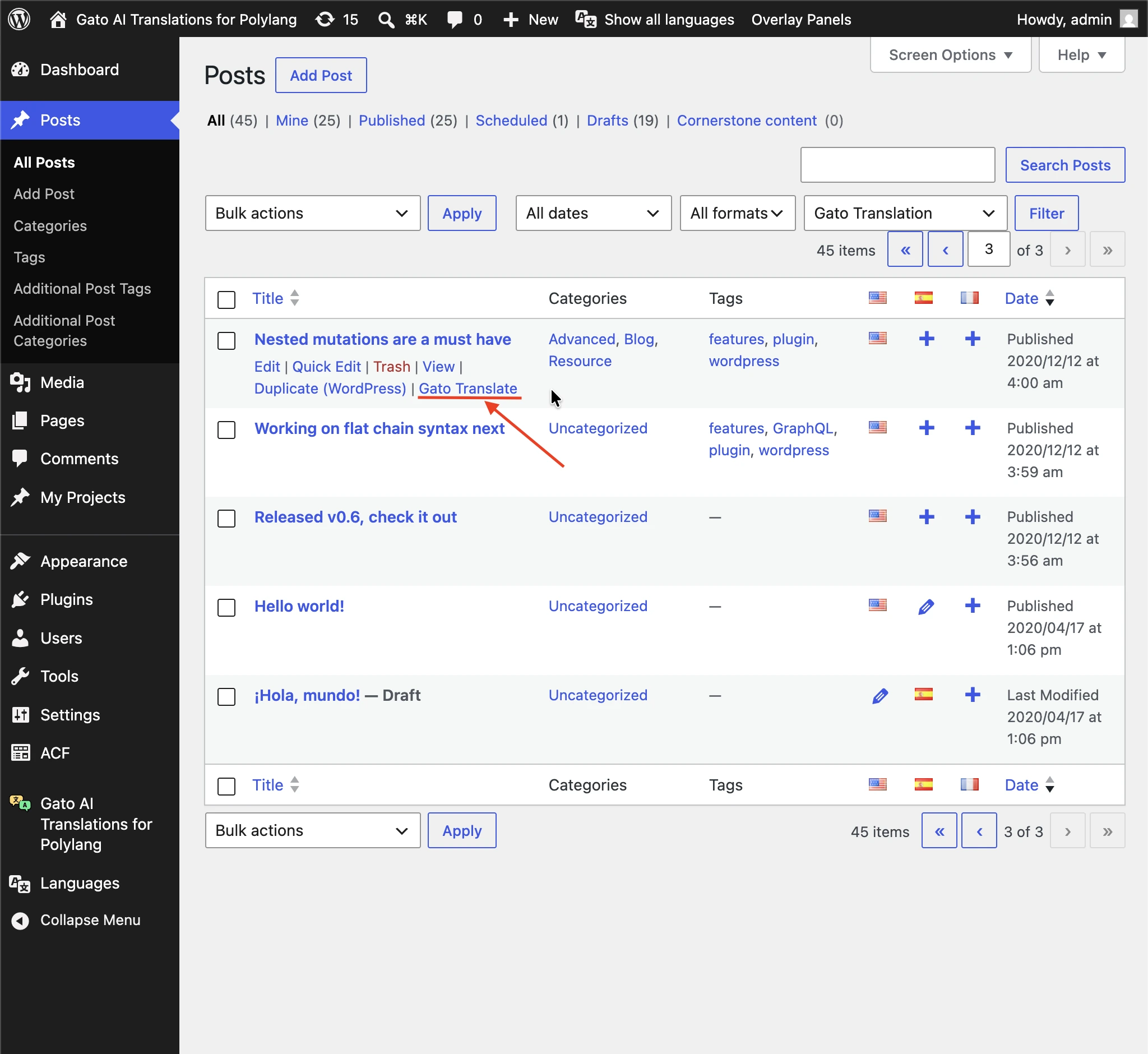
Every CPT, media, tag, category and user list page now exposes a Gato Translate quick link next to the standard row actions — one click to translate a single entity, no Bulk Actions dropdown needed.
🍔 Gato Translate button for menus
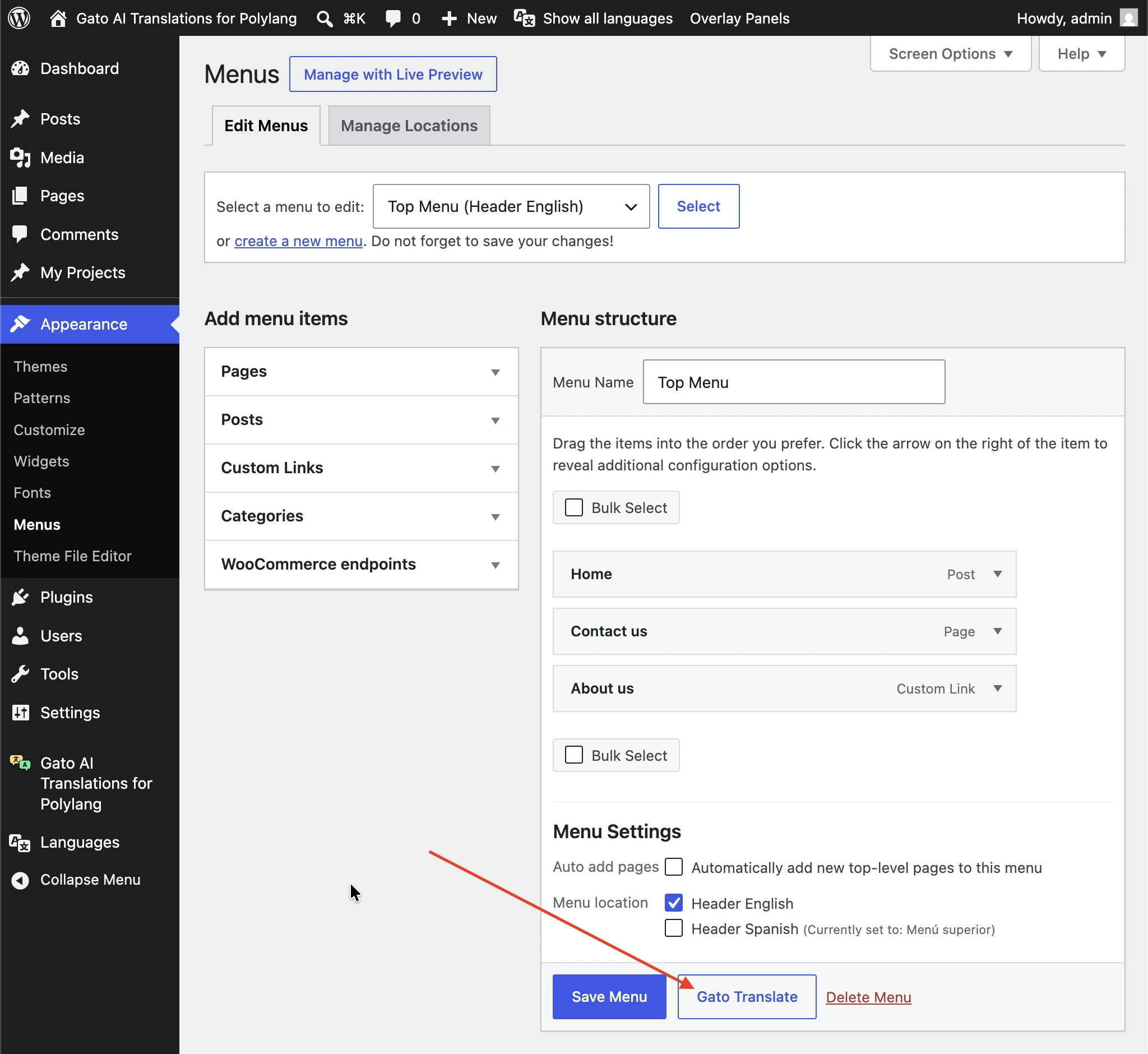
The menu editor gets its own Gato Translate button, so you can translate a single menu manually with a single click — the old workaround of toggling "Automatic translation for Menus" on, saving, then toggling it off is no longer needed.
✨ Gemini translation provider
v18 adds Google Gemini as a first-class translation provider, alongside ChatGPT, Claude, DeepL, DeepSeek, Google Translate, Mistral, OpenRouter and self-hosted LLMs.
Supported models include Gemini 2.5 Flash, Gemini 2.5 Pro and Gemini 3.1 Flash-Lite. See the full list in What are the supported AI models?.
🤖 WordPress 7.0: AI Connectors
If you're on WordPress 7.0+, API keys can now be picked up automatically from WP AI Connectors: leave the ChatGPT, Claude or Gemini key empty in the plugin Settings, and the key registered under Settings → Connectors is used instead. No duplication, no copy-pasting keys between plugins.
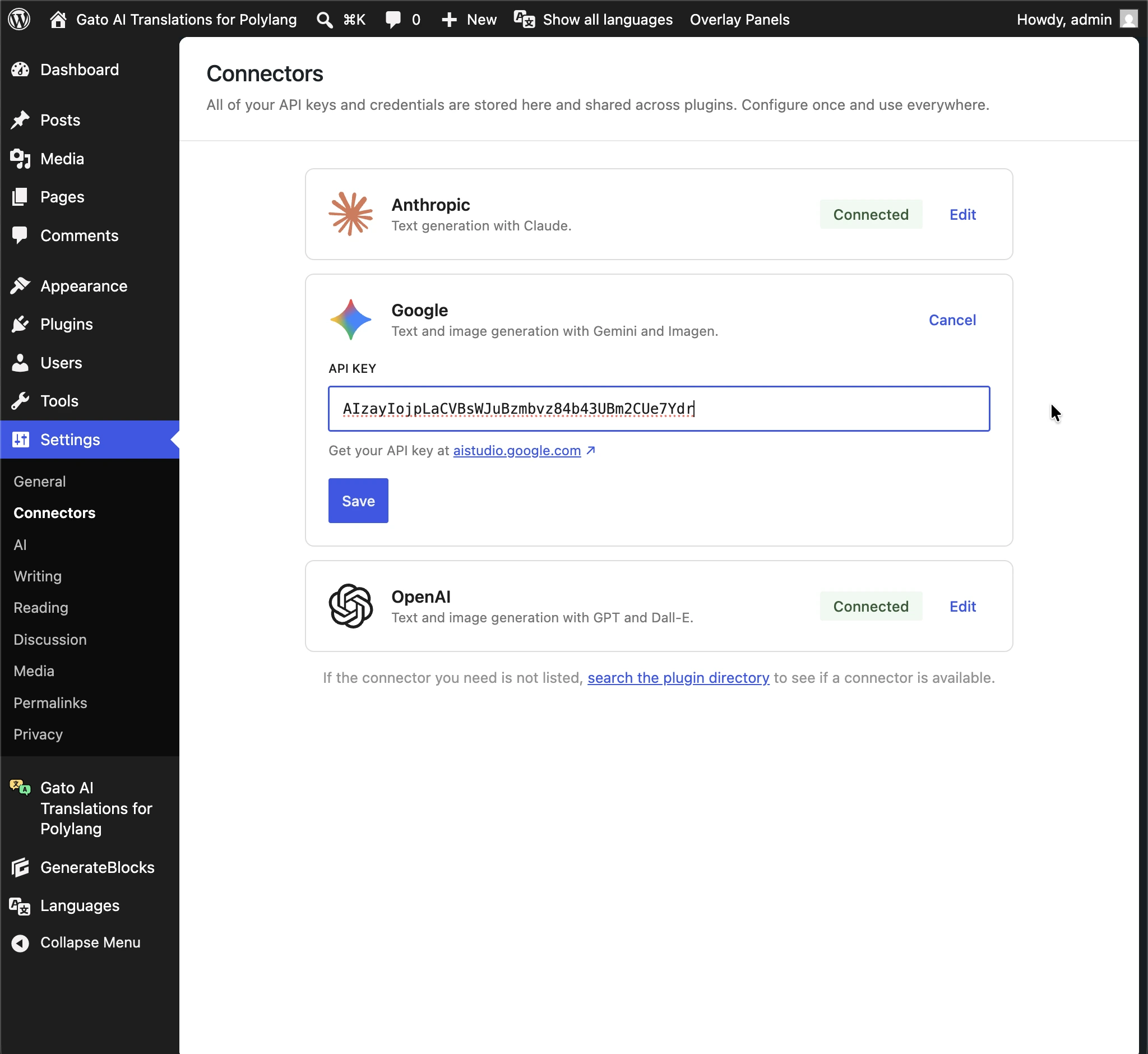
This also means the plugin works out of the box: as soon as you add your license key, the plugin auto-selects the first AI service with an API key configured via WP AI Connectors as the default translation provider — no extra clicks.
✨ AI Abilities for translation
v18 registers AI Abilities for every entity type, so custom posts, taxonomy terms, media, menus and users can all be translated straight from a natural-language prompt in Claude Code (or any other agent that consumes WP Abilities):
Translate post with title
"How to onboard new editors"to French only
This requires WordPress 7.0+ (where the AI Abilities platform was introduced). Read more in the new WordPress AI Abilities guide.
🧠 More supported AI models
v18 also keeps the model catalog current:
- ChatGPT: GPT-5.4 mini, GPT-5.5
- Claude: Claude Sonnet 4.6, Claude Haiku 4.5, Claude Opus 4.7
- DeepSeek: DeepSeek v4, DeepSeek v4 Flash
- Gemini: 2.0 Flash / Flash-Lite, 2.5 Flash / Flash-Lite / Pro, 3.1 Flash-Lite
See the full list in What are the supported AI models?.
⏱️ Translation Timeout
You can now set a Translation Timeout in the Settings, so a hung upstream fails cleanly with a controlled error in the logs instead of triggering a generic HTTP 502 / 504. Keep the value slightly below your server's max_execution_time — full details in Setting translation timeouts.
Upgrade
The release is rolling out now through your customer dashboard. Update from your WordPress admin (Plugins → Updates), or download the latest version from your account.
See the changelog for the full list of changes.
Enjoy v18! 🎉
